Find the rhythm
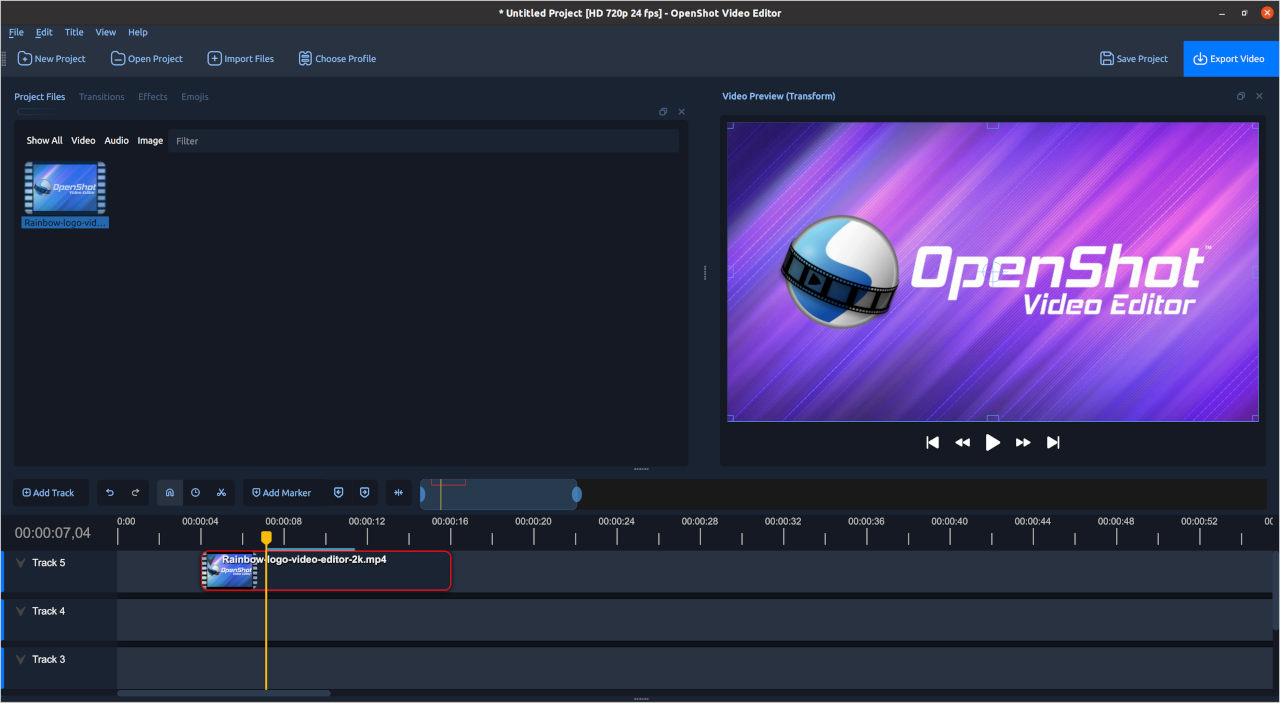
Use the timeline to arrange and trim video, sound, and still images.
OpenShot / Free & open-source video editing
Bring your footage into OpenShot. Find the moments that matter, put them in order, and make something you want to share.
Room to experiment
Start with the sequence. Explore the details once the story makes sense.
Use the timeline to arrange and trim video, sound, and still images.
Explore keyframes for changes in position, scale, opacity, and other properties.
Work with titles, transitions, and effects to support your message.
Read the official feature guide for current tools and details.
A thought before you edit
Try watching the same scene with a different opening. Then a shorter pause. Then no music. Save each version and notice how a small choice changes the story.
Your first short film
Keep the project short enough to finish. Learn the whole process before making it more complicated.
Choose a subject and gather a few useful shots. Keep the original files in a project folder you can find again.
Arrange the scenes before adding effects. Remove repetition and listen to the transitions between sounds.
Watch the exported video from start to finish. Check titles, sound, and the ending before you share it.
Available on your desktop
See the free installer and optional Store version.
Official download optionsReview the available Mac build and requirements.
Official download optionsFind the current package and setup instructions.
Official download optionsGood to know
Free downloads are available from openshot.org. A paid Microsoft Store option also supports development. Check the official download page for the current choices.
OpenShot offers desktop versions for Windows, macOS, and Linux. Review the current build and installation requirements for your computer.
The official OpenShot user guide covers the workspace and a first project. Follow the User guide link below to continue.
No. This is an independent introduction. Use openshot.org for official downloads, documentation, and project information.